



Description
SmartMag v10.3.0 – Responsive & Retina WordPress Magazine Theme
In the ever-demanding arena of high-traffic publishing, **SmartMag** stands as a seasoned contender—hardened through real-world usage and refined over years of iterative evolution. Since its inception, it has powered tens of thousands of websites, many of which endure the pressure of millions of visitors without faltering. This is not accidental resilience; it is engineered endurance.
Now matured into its Ultimate Version 5, SmartMag reflects a culmination of insight, user-driven refinement, and technical precision. Despite its depth, it retains an inviting simplicity—an unusual duality where power does not intimidate, and flexibility does not overwhelm.
Whether the ambition is to craft a sleek magazine, a dynamic news portal, a narrative-driven blog, or a meticulous review platform, SmartMag provides the scaffolding to bring such visions into existence—often within minutes rather than days.
—
### **A Refined Arsenal of Features**
**Professionally Crafted Demo Library**
With over 27 thoughtfully designed demos, deployment becomes almost instantaneous. A single click transforms abstraction into a tangible, fully structured website.
**Search Engine Intelligence Built-In**
SmartMag integrates rich snippets—breadcrumbs, article schema, and review data—directly into its framework. Compatibility with leading SEO tools further amplifies visibility, ensuring content is not merely published, but discovered.
**Enhanced Elementor Experience**
The theme elevates Elementor beyond its standard form, introducing refined controls and creative enhancements that enable visually striking page compositions.
**Smart Studio Integration**
Pre-designed blocks, sections, and layouts are available at a moment’s notice. These modular elements function like building bricks, allowing users to assemble powerful homepages with remarkable speed.
**Dynamic Mega Menus**
Navigation evolves into an experience of its own, with multiple mega menu styles that transform simple links into structured, content-rich gateways.
**Interactive User Access**
Login and registration are elegantly handled through modal interfaces, including social authentication—removing friction from user engagement.
**Fluid Customization Environment**
The live customizer offers immediate visual feedback, paired with an expansive array of options. Adjustments feel instantaneous, almost conversational in nature.
—
### **Performance Meets Versatility**
SmartMag is meticulously optimized for speed, ensuring that performance remains sharp even under demanding conditions. AMP compatibility further enhances mobile responsiveness, delivering near-instant load times that align with modern consumption habits.
Dark Mode, implemented with notable finesse, offers an alternative visual identity—ideal for niches like gaming or sports, where ambiance matters as much as content. Users can toggle modes effortlessly or set it as the default experience.
The theme also accommodates a wide spectrum of structural preferences. From full-width immersive layouts to sidebar-supported formats, every post, page, or category can be tailored individually. Archive builders empower advanced users to construct custom category experiences, adding another layer of control.
—
### **Extended Ecosystem Compatibility**
SmartMag integrates seamlessly with WooCommerce, enabling the creation of polished online stores, while bbPress support introduces community-driven forums into the mix. Typography options stretch extensively, with access to hundreds of Google Fonts and thousands of Adobe selections—ensuring every design can carry its own typographic signature.
Retina readiness ensures visuals remain crisp on high-resolution displays, while RTL support and translation compatibility open doors to global audiences without structural compromise.
—
In its entirety, SmartMag is not just a theme—it is a finely calibrated publishing engine. It merges durability with elegance, speed with adaptability, and complexity with usability, offering creators a platform where imagination can unfold without constraint.
Updates & Support
Updates:
-
If you purchase a product individually, you will receive 10 downloads per product, along with one year of future updates. After one year, the digital product files will no longer be accessible. If you use all 10 downloads within the one-year period, simply contact us and we will increase your download limit.
Note: This download limit is in place to maintain server performance and prevent unnecessary load or spam.
- We regularly update our products as soon as new versions are released. Once we are notified of an update, we download it directly from the author and upload the latest version to our website. However, if you find that a product is not up to date, you can request an update through our contact us page.
Support:-
- If you have any questions or need assistance with installing or configuring any digital products purchased from our website, feel free to contact us.
- Please note that we are not the original developers of these products, so our technical support is limited. We do not modify product functionality or resolve issues related to developer-side bugs.
WHY SO AFFORDABLE?
- All WordPress items, including themes and plugins, are licensed under the General Public License (GPL). This license allows redistribution once the product has been legally purchased.
- Your purchase helps us maintain our platform and acquire new products from third-party theme and plugin developers. This community-driven funding model keeps our costs low, allowing us to pass significant savings on to you.
- Please note that our products do not include premium developer support, which is why we are able to offer discounts of up to 95% on popular commercial WordPress themes and plugins.
HOW TO INSTALL/UPDATE?
How to Install/Update WordPress Themes/Plugins manually?
Click to watch Video Tutorial
Step 1: Purchase the product and download the ZIP file.
Note: Some ZIP files may need to be extracted before uploading.
If you are updating an existing theme or plugin, install the latest version and WordPress will automatically replace the older one. All your existing settings and customisation will remain unchanged.
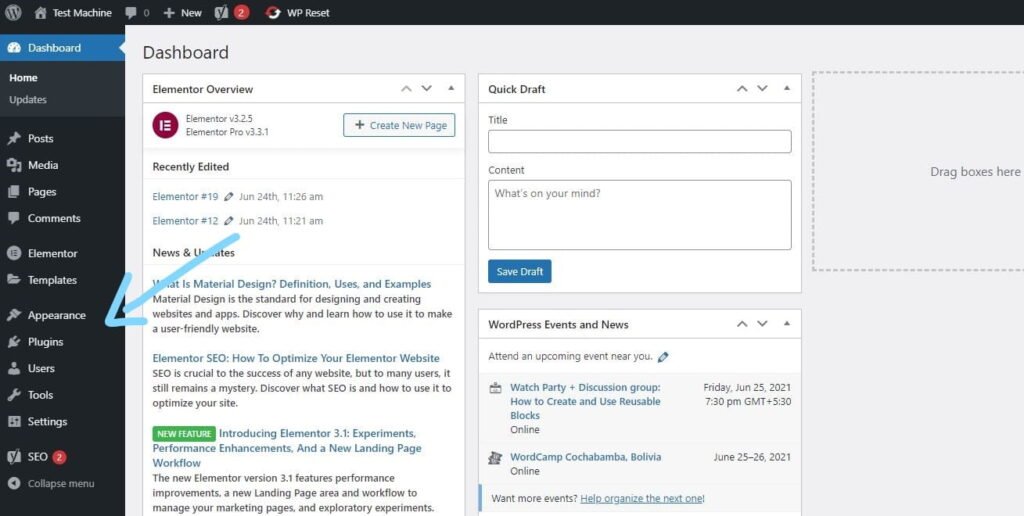
Step 2: From your WordPress dashboard, go to Appearance → Themes if you’re installing a theme, or navigate to Plugins if you’re installing a plugin.
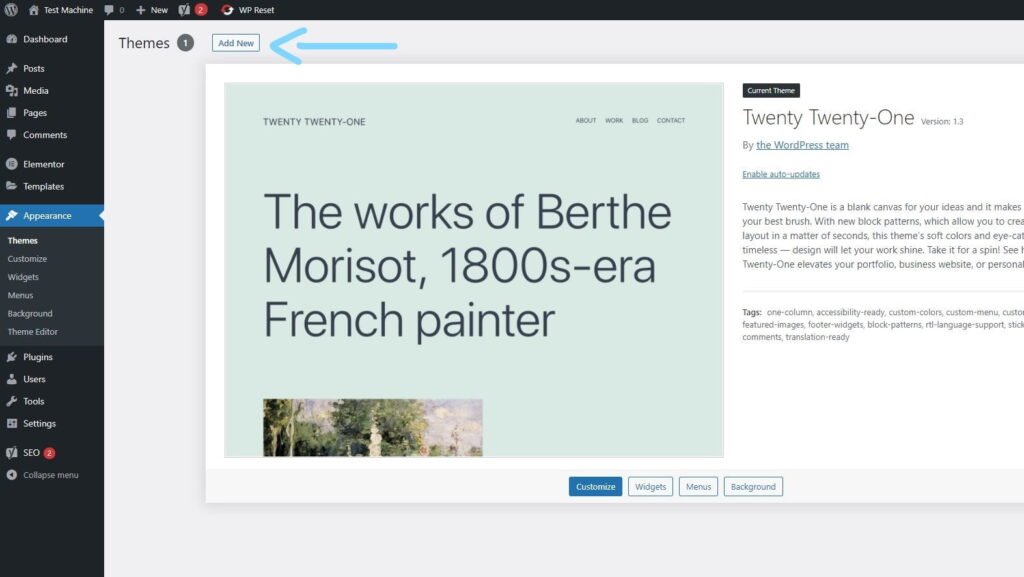
Step 3: Click the “Add New” button (this option is the same for both themes and plugins).
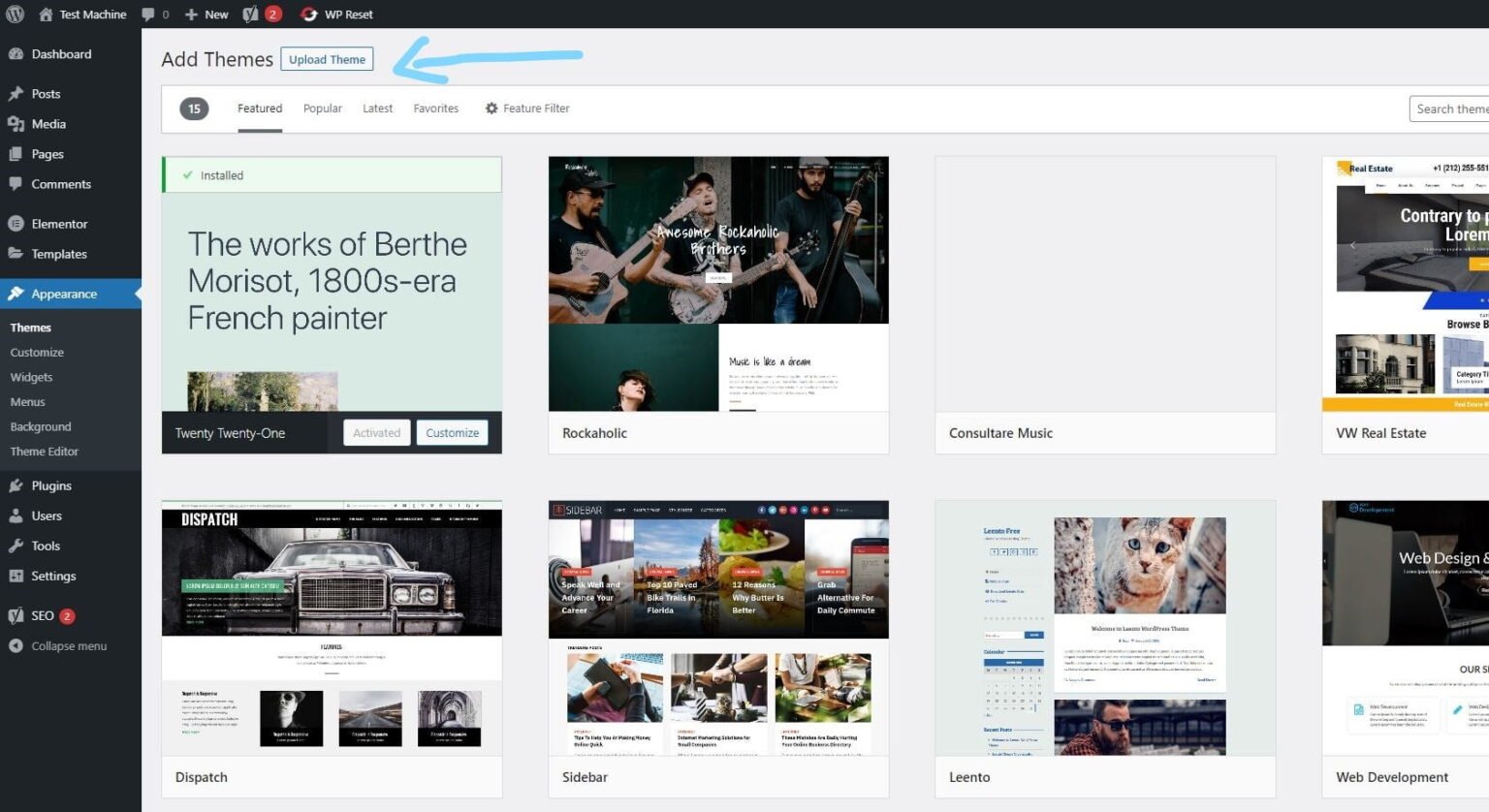
Step 4: Click “Upload Theme” if you’re installing a theme, or “Upload Plugin” if you’re in the plugins section.
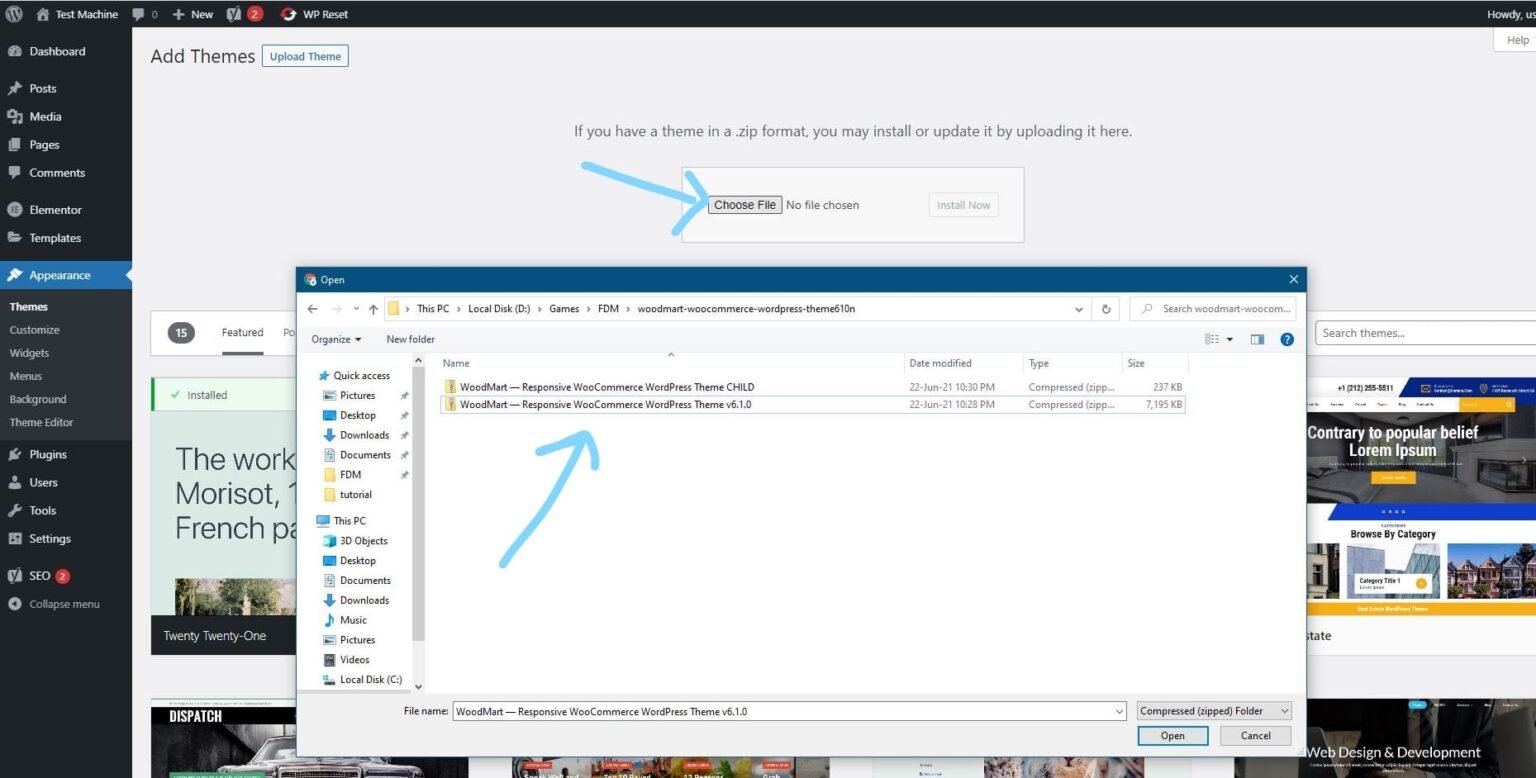
Step 5: Click “Choose File” and select the ZIP file of the theme or plugin you want to install.
Step 6: Click “Install Now.”
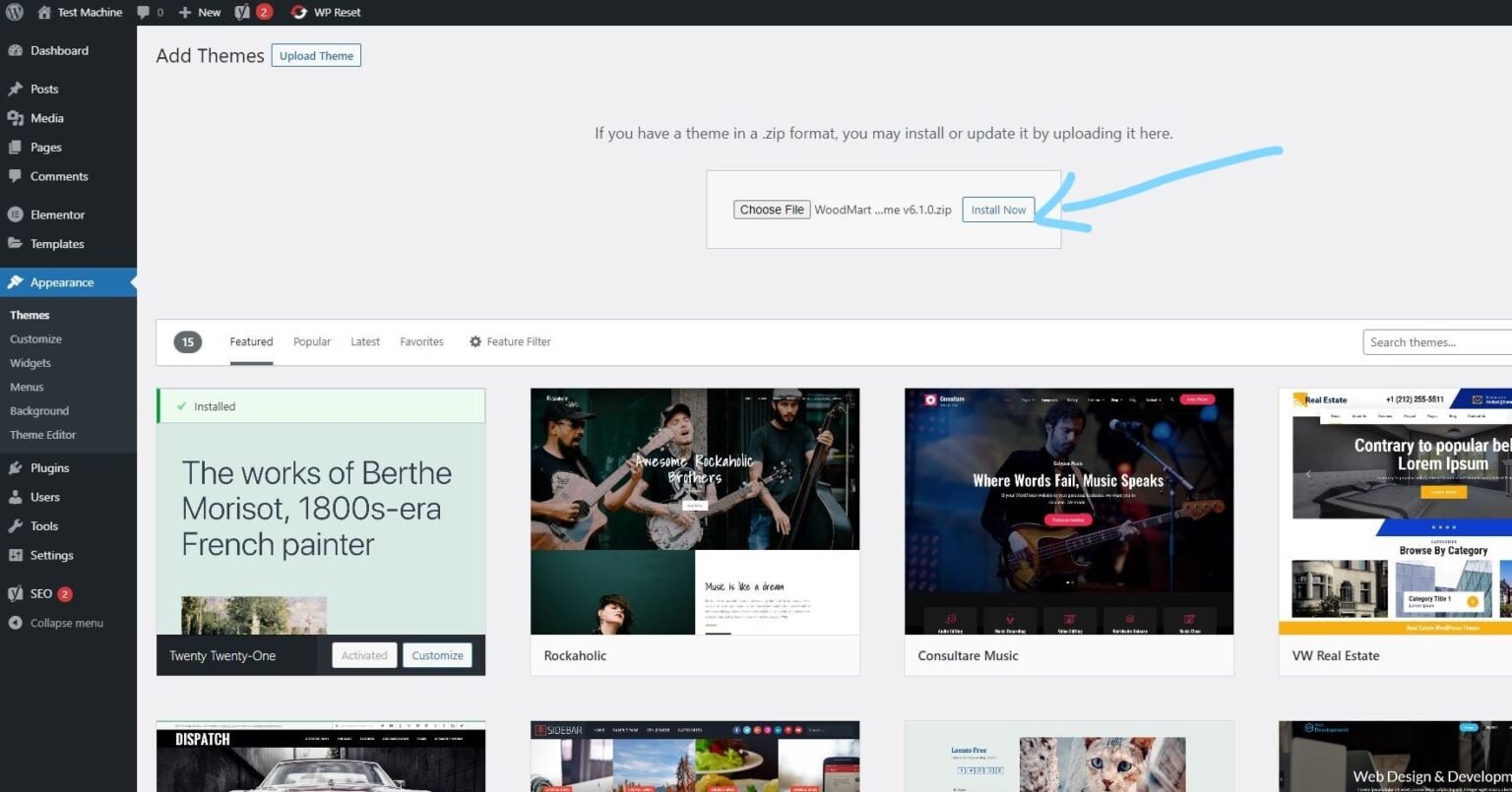
Step 7: The installation process will take a few seconds to complete.
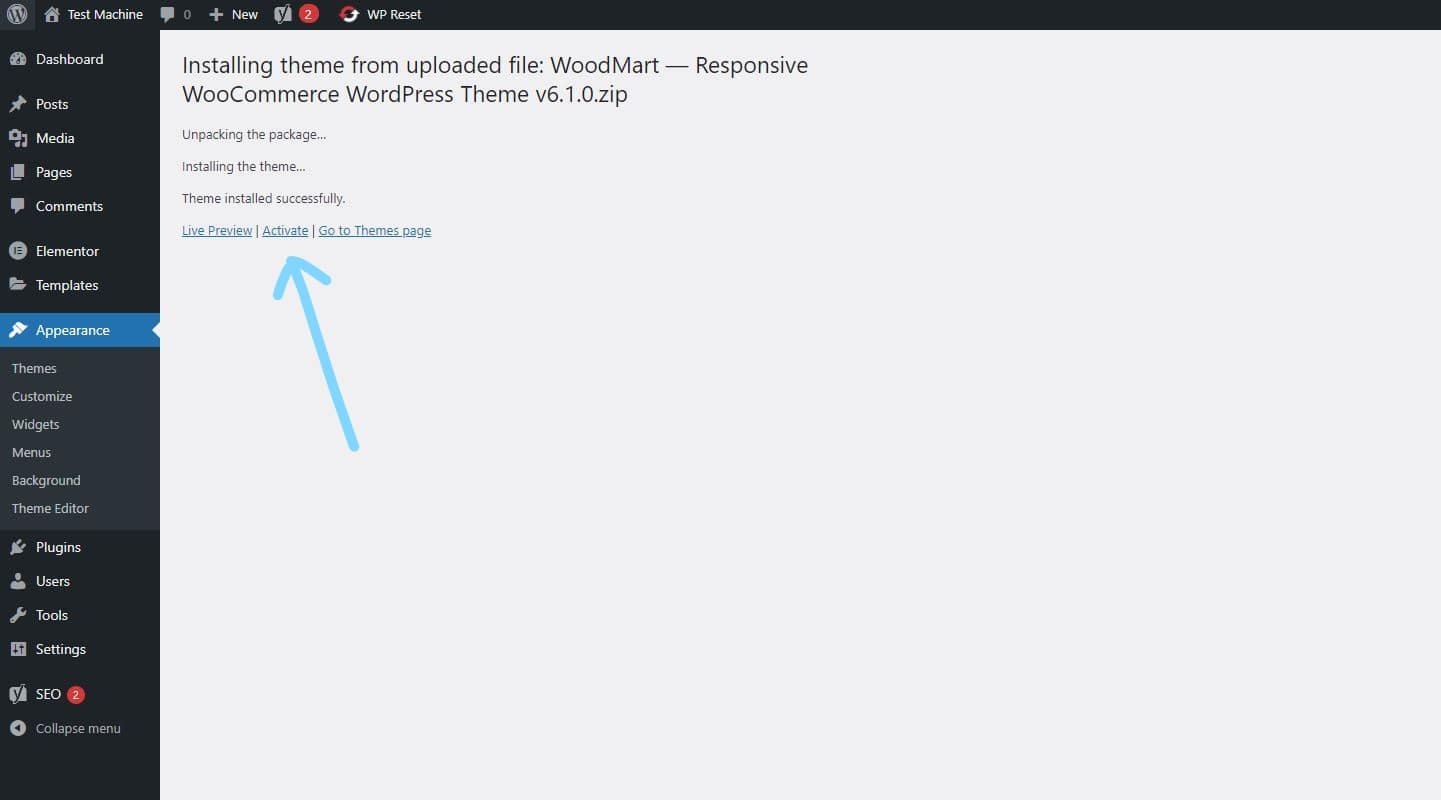
Step 8: Once the installation is complete, click “Activate” to manually activate your WordPress product.
How to Install Elementor Template Kits
Step 1: Download your template kit ZIP file. Do not unzip it.
Step 2: In WordPress, go to Settings → Permalinks and make sure Post Name is selected, then click Save.
Step 3: Navigate to Appearance → Themes → Add New and ensure Hello Elementor is installed and activated.
Step 4: If the theme prompts you to install the Elementor Page Builder plugin, click Install and then Activate.
Step 5: Go to Elementor → Settings, click the Features tab, and ensure the Flexbox Container shows a green icon. If not, set it to Active.
Step 6: Navigate to Plugins → Add New, search for Envato, and install and activate the Envato Elements – Photos & Elementor Templates plugin.
Note: If your kit requires Elementor Pro, make sure it is installed before continuing.
Step 7: Go to Elements → Installed Kits and click Upload Template Kit ZIP File. Your templates will now appear.
Step 8: Look for the orange banner at the top of the screen and click Install Requirements to load the necessary kit addons and settings.
That’s it! You’re now ready to start building your site.
-
Imported templates are stored in Elementor → Templates → Saved Templates and must be inserted into a new page in WordPress before customisation.
-
Imported blocks, tabs, or slides are also stored under Templates → Saved Templates and can be duplicated and customized directly.
-
Elementor Pro site parts are stored under Templates → Theme Builder and can be customized directly.
For detailed, step-by-step instructions with screenshots, copy and open the link below in a new tab.
How to Upload Install Elementor Template Kits from Themeforest to WordPress




Reviews
There are no reviews yet.